Matemathics Explanations of Plot Programming
Math Explanation CODE relations
From Andraelity, how CODE using math.
In thy following lines we are going to verify or create the connexion that would allow us to unite code with mathematics
Shaders-Plane After we had define exactly how the idea of shaders work, and which are the primary concepts that we understand about computer, the process we are going to follow would be to start making outputs on graphic structures at the same time that we understand and comprehend the mathematical structures that are going to provide us with the step by step to achieve visual representations and overall systematic representation of information and graphical relationships.
Index Webpages Redirect
- &. Index
- 0. EulersIdentity
- 1. Derivatives
- 2. Shaders
Computer Shaders Graphics
CircleSDF
fixed4 frag (PixelData i) : SV_Target
{

float2 uv =  i.uv ;
float4 col = float4(0,0,0,1);
float4 red = float4(1,0,0,1);
float4 white = float4(1,1,1,1);

float2 coordinateScale = (uv * 2.0)  - 1.0;

float2 coor = coordinateScale;

float radius = 0.5;

float number = length(coor) - radius;

float smooth = 1.0 - smoothstep(0.0, 0.01, number );

col = fixed4(smooth, 0.0, 0.0, 1.0);

return col;

}
float2 uv =  i.uv ;
float4 col = float4(0,0,0,1);
float4 red = float4(1,0,0,1);
float4 white = float4(1,1,1,1);

float2 coordinateScale = (uv * 2.0)  - 1.0;

float2 coor = coordinateScale;

float radius = 0.5;
float number = length(coor) - radius;

float smooth = 1.0 - smoothstep(0.0, 0.01, number );

col = fixed4(smooth, 0.0, 0.0, 1.0);

return col;
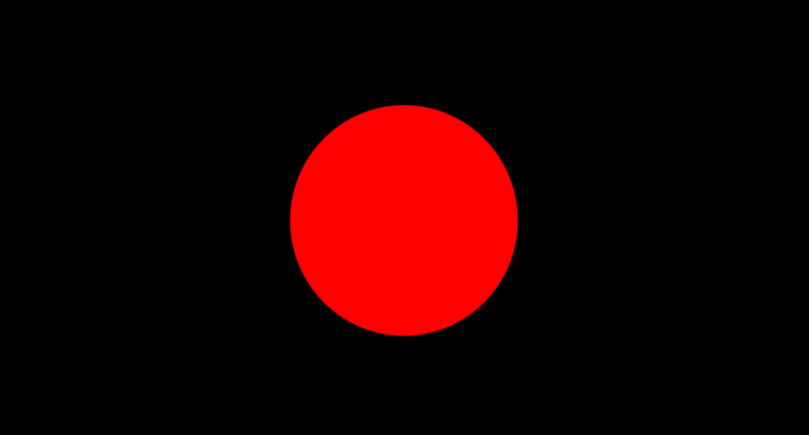
$$SMOOTHSTEP$$
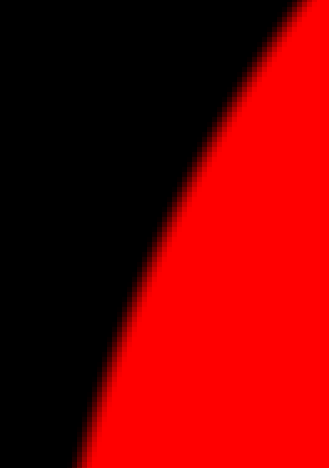
$$NON \ SMOOTHSTEP$$

$$\\[5ex]$$
$$\begin{aligned}
&\text{now that we already now the difference between one and the other we are going to explain how we }\\
&\text{modify the pixels this way and how we are able to make this smooth blending between the pixels. }
\end{aligned}$$
float number = length(coor) - radius;
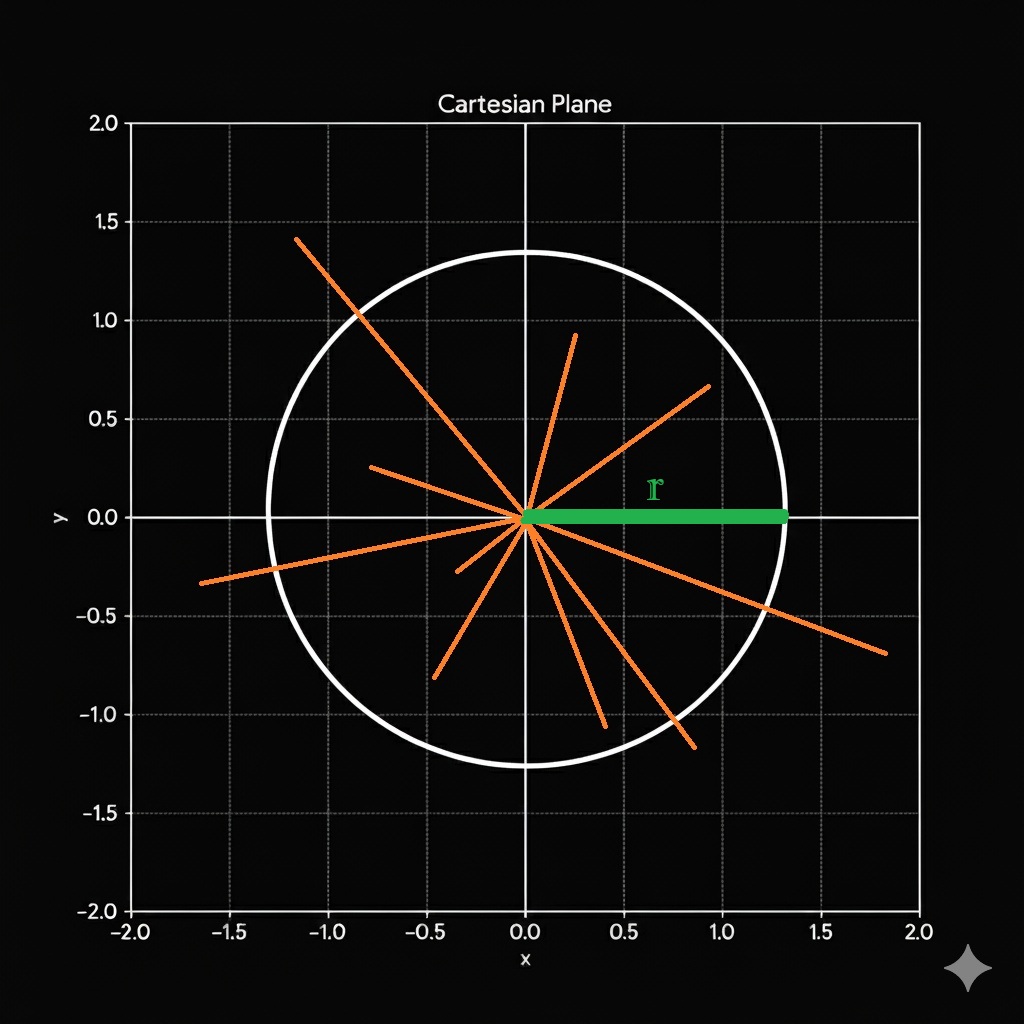
$$\begin{aligned}
&\text{ If we take a random set of lines from the circle, and placed them horizontal one next to the other, and we also place the }\\
&\text{ radius of the of the circle here on horizontal bars but rather colored green, so what we need to visualize here is that if }\\
&\text{ we substract the green bar from each orange bar, we are going to end up with the next two tables.}
\end{aligned}$$
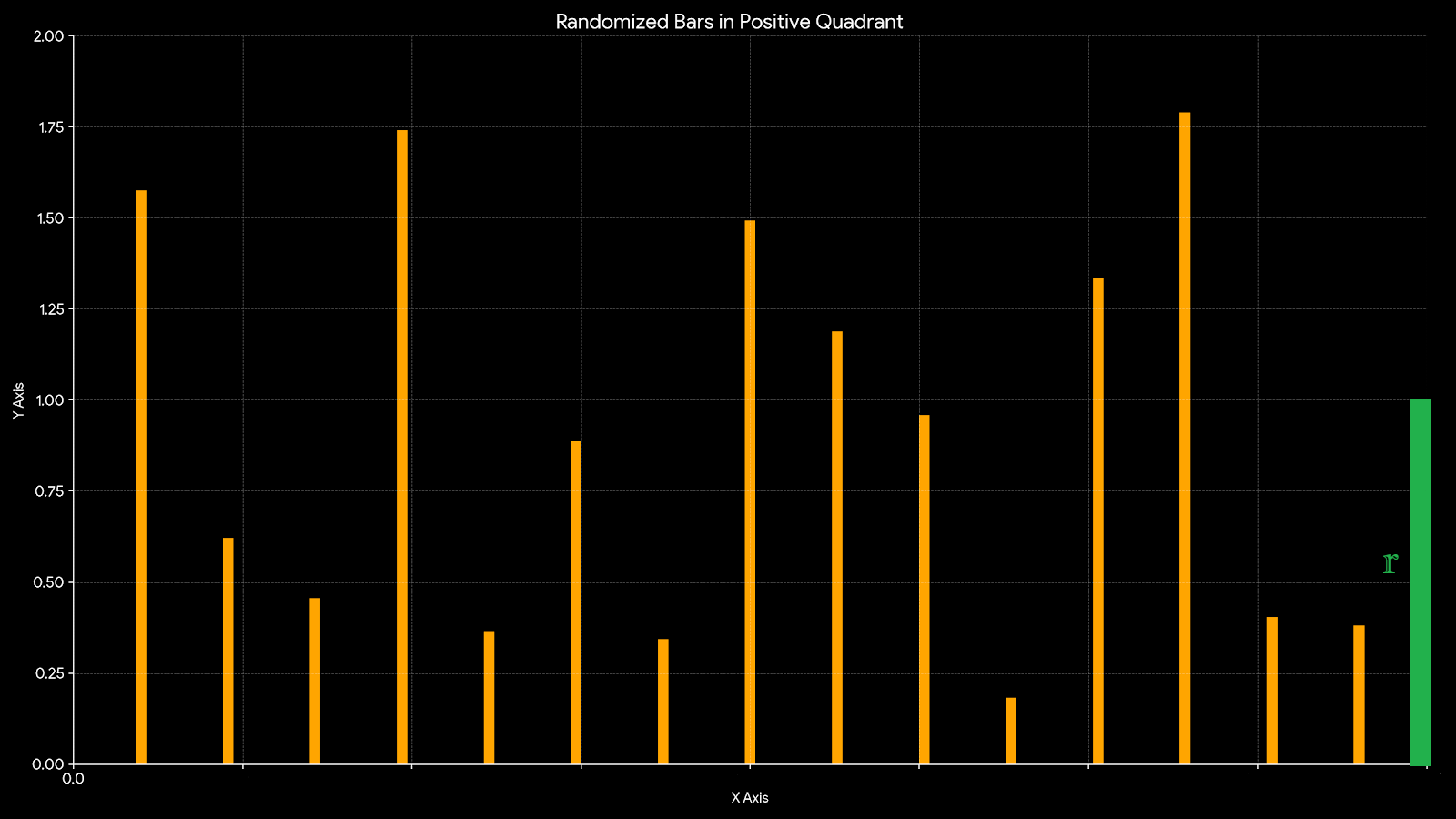
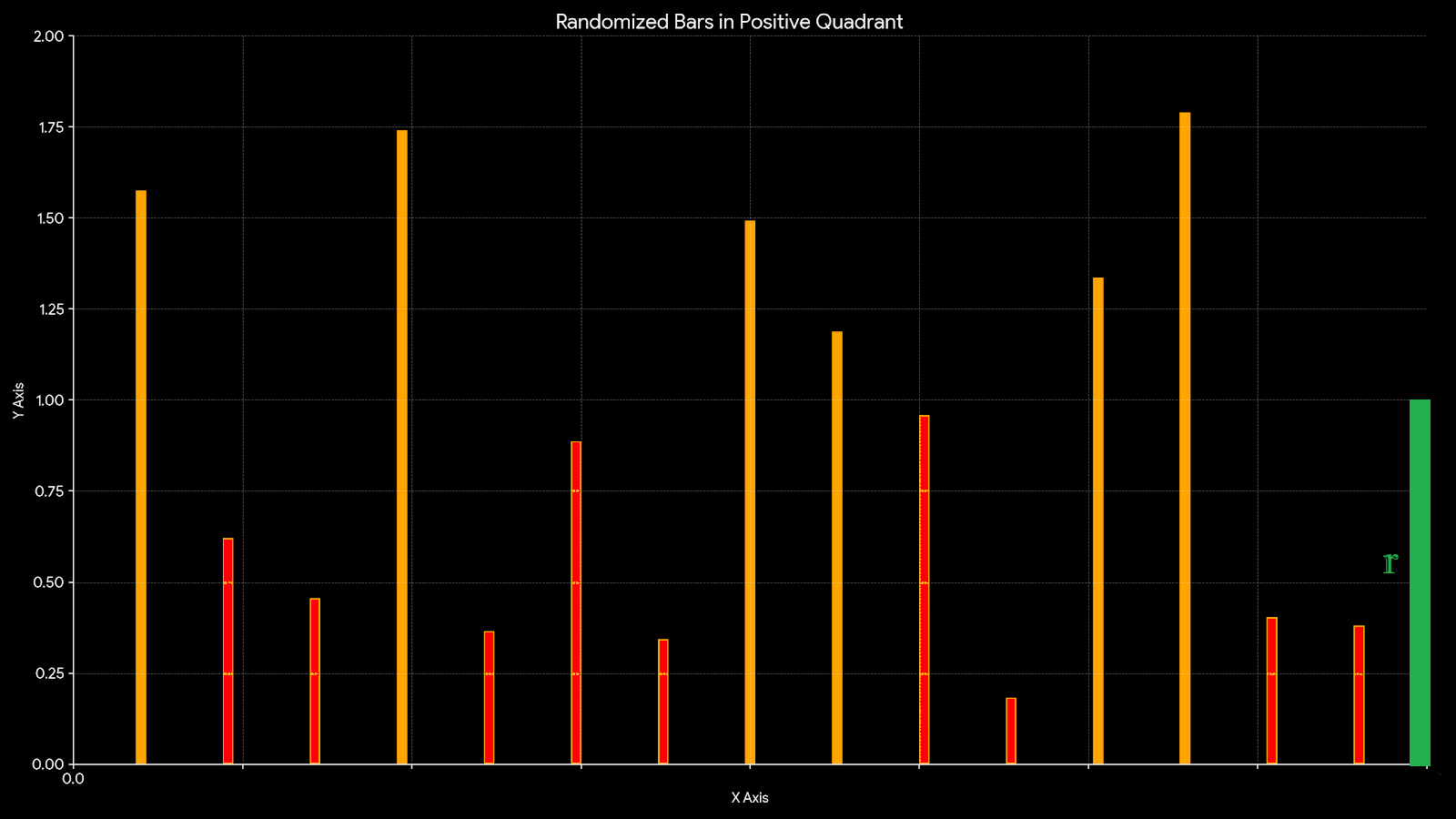
$$\begin{aligned}
&\text{ if we take into recognition all the red lines are going to represent the lines that are inside the circle, cuz the radius}\\
&\text{ is greater than its magnitude, so that'll be the way how we could check each single coordinate as a vector, in order }\\
&\text{ to recognize or identify if we need to paint it or not. In mathematical terms would be:}\\
\end{aligned}$$
$$ \|\mathbf{coor}\| - r \ = \ length(\mathbf{coor}) - r $$
$$\\[4ex]\\$$
$$C = \text{Coordinate in CIRCLE,} \quad \|\mathbf{coor}\| = \sqrt{x^2 + y^2}$$
$$\\[4ex]\\$$
$$C = \{ \mathbf{coor} \in \mathbb{R}^2 : \|\mathbf{coor}\| \leq r \}$$
$$\\[4ex]\\$$
$$\text{Radius: } r \in \mathbb{R}^+$$
float smooth = 1.0 - smoothstep(0.0, 0.01, number);
$$\\[5ex]$$
$$f(x) = \begin{cases} 0 & \text{if } x \le 0 \\ \frac{x}{0.01} & \text{if } 0 < x < 0.01 \\ 1 & \text{if } x \ge 0.01 \end{cases}$$
$$\\[4ex]$$
$$x = \|\mathbf{coor}\| - r \quad \text{:This represents our "magnitude - radius" value.}$$
$$\\[4ex]$$
$$x \le 0 \mapsto 0 \quad \text{:Handles all values less than or equal to 0 mapping to 0.}$$
$$\\[4ex]$$
$$0 < x < 0.01 \mapsto [0, 1] \quad \text{:Represents the transition zone. }$$
$$\\[4ex]$$
$$[0, 0.01]\ to\ [0, 1]\ \text{the expression}\ \frac{x}{0.01}\ (or\ 100x) \quad \text{:scales that tiny interval to the full unit range.}$$
$$\\[4ex]$$
$$x \ge 0.01 \mapsto 1 \quad \text{:Clamps all values greater than the threshold to 1.}$$
$$\\[5ex]$$
$$\begin{aligned}
&\text{The full idea would be if:}\\
&\text{if the output of the smoothfunction is less than 0 then color using red }\\
&\text{if the output of the smoothfunction is more than 1 then color using black }\\
&\text{and if the output of the smoothfunction is between 0 and 1 then color using blend mixtures of red and black proportioned}\\
\end{aligned}$$
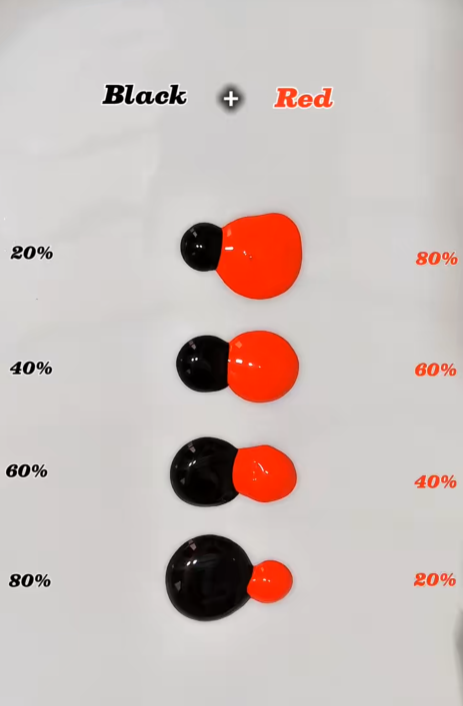

float smooth = smoothstep(0.0, 0.01, number);

col = fixed4(smooth, 0.0, 0.0, 1.0);

return col;
float smooth = 1 - smoothstep(0.0, 0.01, number);

col = fixed4(smooth, 0.0, 0.0, 1.0);

return col;
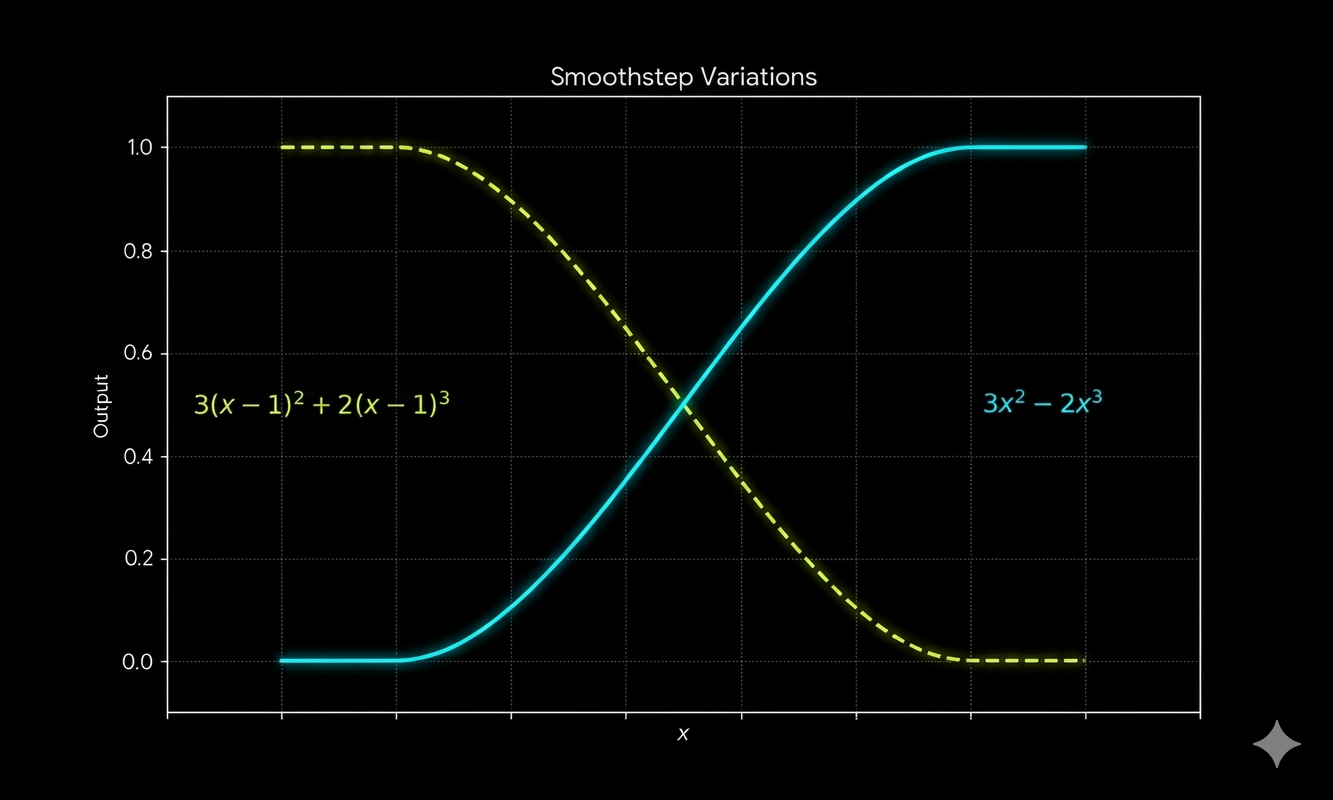
float smoothstepREFLECT(float a, float b, float x)
{
    float check = (x - a )/(b - a );
    float check2 = max(0, min(1,check));
    check2 = check2 - 1;

    float result = 3.0 * check2 * check2 + 2.0 * check2 * check2 * check2;

    float putOut = result;
    return putOut;
}

float smooth = smoothstepREFLECT(0.0, 0.01, number);

col = fixed4(smooth, 0.0, 0.0, 1.0);

return col;
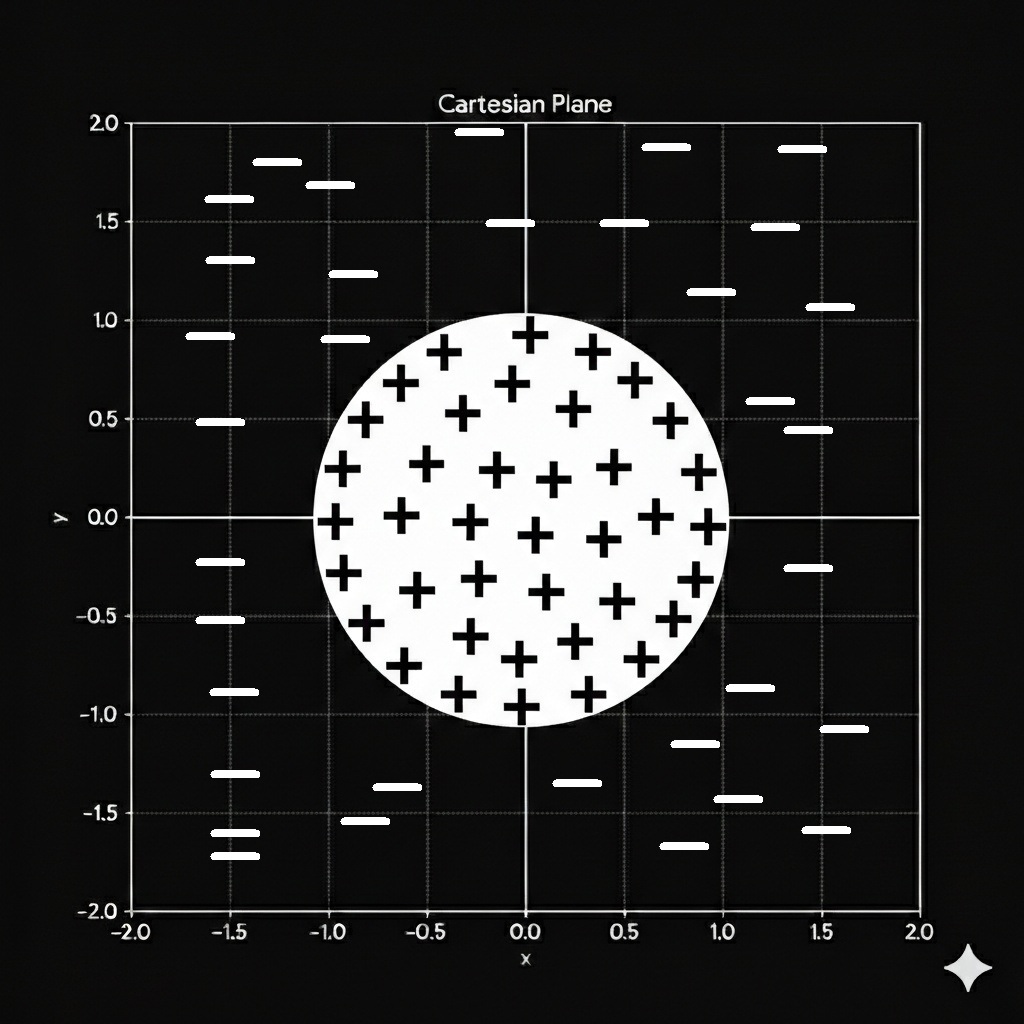
$$\begin{aligned}
&\text{There is a third way how to get the same output, by reordering the same properties we're ben using since }\\
&\text{the beginning, we need to understand that the general idea here is to create sections where the evaluation }\\
&\text{gives a negative sign and a positive sign depending if we are inside or outside of the circle}\\
\end{aligned}$$
float number = radius - length(coor);

float smooth = smoothstep(0.0, 0.01, number);

col = fixed4(smooth, 0.0, 0.0, 1.0);

return col;
Shader_CircleSDF_1.shader
Shader_CircleSDF_2.shader
$$\LARGE\text {Axis Lines}$$
fixed4 frag (PixelData i) : SV_Target
{

float2 uv =  i.uv ;
float4 col = float4(0,0,0,1);
float4 red = float4(1,0,0,1);
float4 white = float4(1,1,1,1);

float2 toOneUV = uv;

float2 coordinateScale = (uv * 2.0)  - 1.0;

float2 coor = coordinateScale ;

float AxisThickness = 0.01;

float xAxis =  smoothstep(AxisThickness, 0.00, abs(coor.y));
float yAxis =  smoothstep(AxisThickness, 0.00, abs(coor.x));
float axisMask = ceil(xAxis + yAxis);

float smooth = axisMask;

col = fixed4(smooth, smooth, smooth, 1.0);

return col;

}
$$\begin{aligned}
&\text{lets start by painting the axis lines that define the X and X coordinate system. }\\
&\text{The first question that we got to ask here, is how exactly we could make this lines without making it two rectangles}\\
&\text{overpositioned one over the other.}\\
&\text{lets ask ourself this question, is there a way to get this information the same way on the idea of how we paint the}\\
&\text{circle, and the ideas that take us to drawing the same.}\\
\end{aligned}$$
float AxisThickness = 0.01;

float xAxis =  smoothstep(AxisThickness, 0.00, abs(coor.y));
float yAxis =  smoothstep(AxisThickness, 0.00, abs(coor.x));
float axisMask = ceil(xAxis + yAxis);
float AxisThickness = 0.01;
float xAxis =  smoothstep(AxisThickness, 0.00, abs(coor.y));
float yAxis =  smoothstep(AxisThickness, 0.00, abs(coor.x));
$$\begin{aligned}
&\LARGE\text{The values of the coordinate } (x,y) \implies (-1.5,\ 1.5)\\
\end{aligned}$$
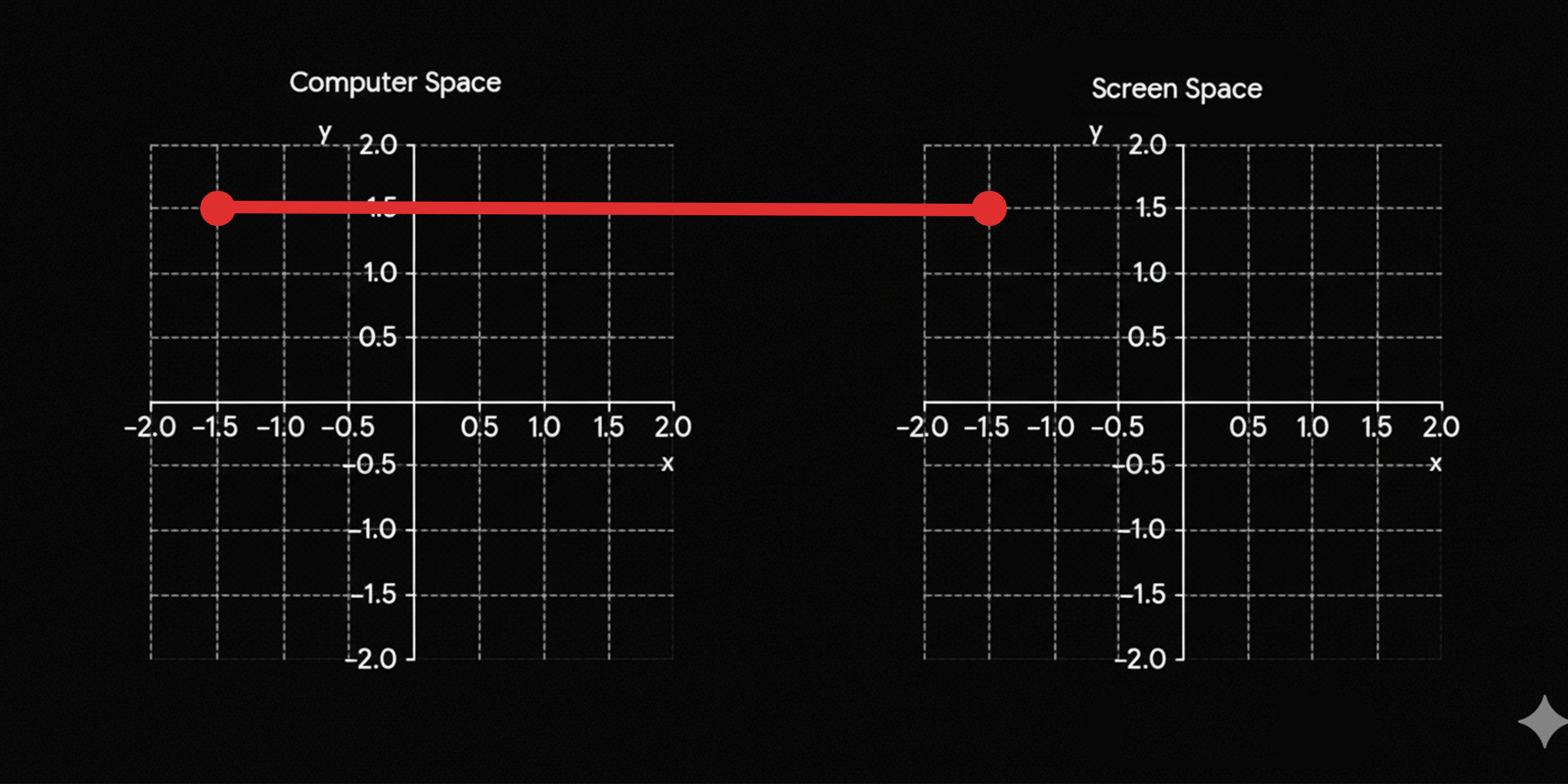
$$\begin{aligned}
&\LARGE\text{The values of the coordinate } f(x,y) \implies abs(x,y) \implies abs(-1.5,\ 1.5) \\
\end{aligned}$$
$$\LARGE f(x,y) = abs(-1.5,\ 1.5) = (1.5,\ 1.5)\\$$
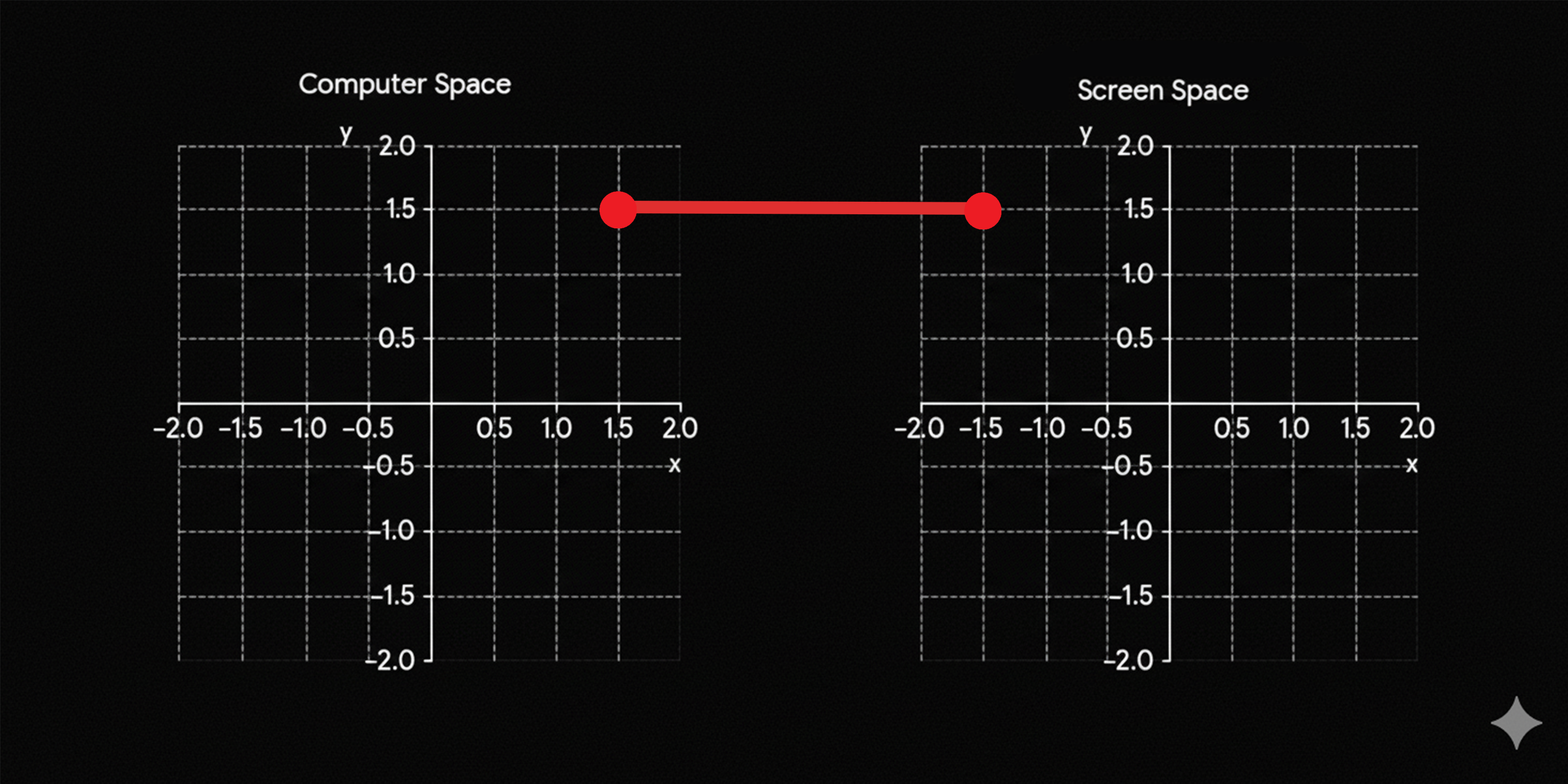
$$\begin{aligned}
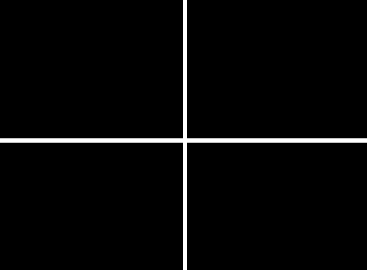
&\text{The values of the coordinate in the computer space are going to change according to the position on the cuadrant they are}\\
&\text{Every point is going to be evaluated as if they were both on the positive cuadrant.}\\
\end{aligned}$$
$$\begin{aligned}
&\text{So if both of the points were projected into the positive cuadrant which is going to be operation that we are }\\
&\text{are going to perform with the smoothstep function}\\
\end{aligned}$$
float xAxis =  smoothstep(0.01, 0.00, abs(coor.y));
float yAxis =  smoothstep(0.01, 0.00, abs(coor.x));
$$\begin{aligned}
&\text{The idea here is to visualize how this code works in the representations of the numbers, in the real numbers space of values }\\
\end{aligned}$$
float xAxis =  smoothstep(0.01, 0.00, abs(coor.y));
float yAxis =  smoothstep(0.01, 0.00, abs(coor.x));
float value = smoothstep(a, b, x);
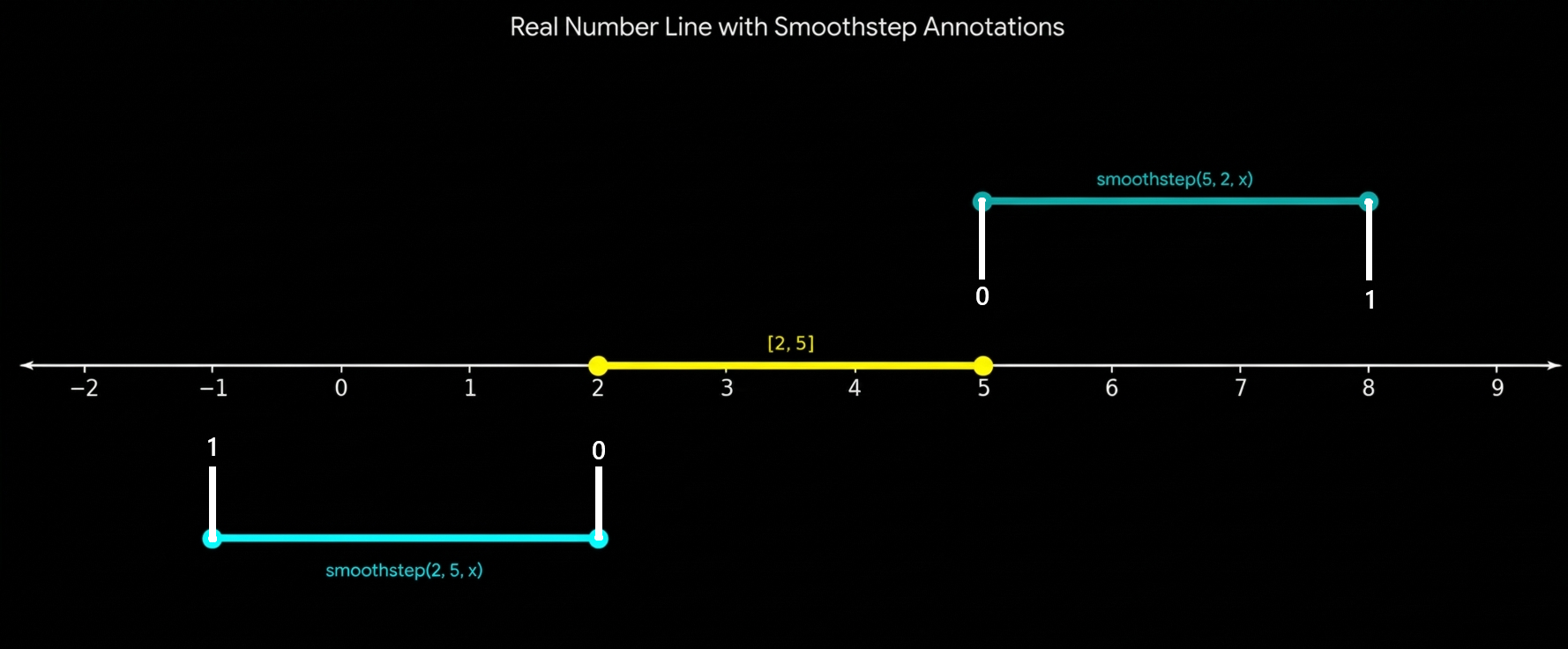
$$\begin{aligned}
&\text{the thing with this function is that we could get exactly the same behavior of the reflected smoothstep, just by changing }\\
&\text{order of the values, we could get exactly the oposite representation of the smoothstep function just by making the }\\
&\text{greatest values first.}\\
\end{aligned}$$
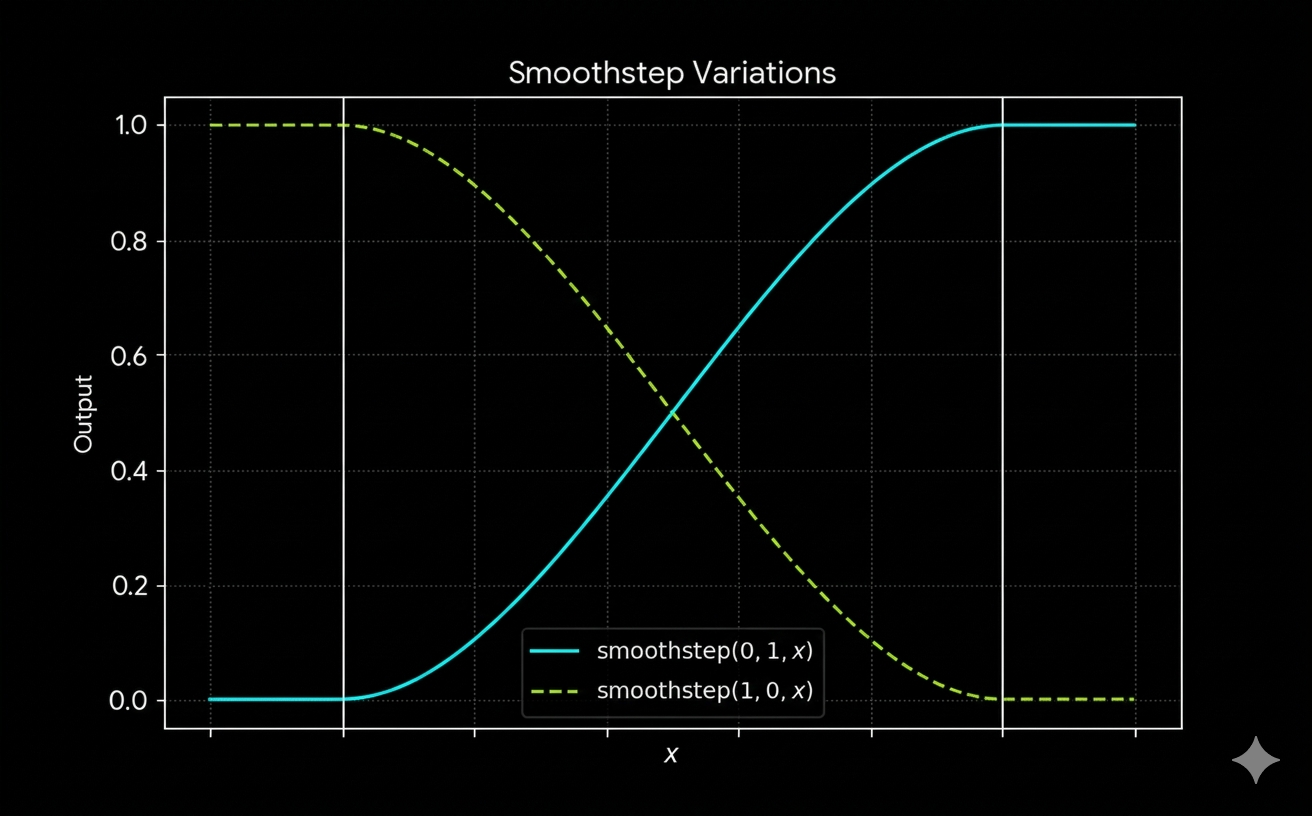
$$\begin{aligned}
&\text{The reason why we were explaining all this ideas is cuz the main concepts of this type of ideas besides on how we could}\\
&\text{make this information to be related with the entire concept.}\\
\end{aligned}$$
float xAxis =  smoothstep(AxisThickness, 0.00, abs(coor.y));
float yAxis =  smoothstep(AxisThickness, 0.00, abs(coor.x));
float axisMask = ceil(xAxis + yAxis);
$$\LARGE\text {Grid Shader}$$
$$\\[5ex]$$
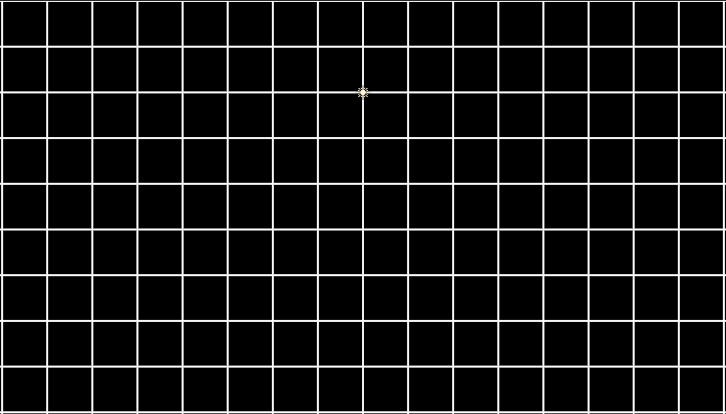
$$\begin{aligned}
&\text{The next things that we are going to draw is going to be a grid, we already got the idea on how to use }\\
&\text{distances to create areas or sections that would be painted or colored, so lets define what really }\\
&\text{is a grid mathematically speaking of course. }\\
\end{aligned}$$
fixed4 frag (PixelData i) : SV_Target
{

float2 uv =  i.uv ;
float4 col = float4(0,0,0,1);
float4 red = float4(1,0,0,1);
float4 white = float4(1,1,1,1);

float2 coordinateScale = (uv * 2.0)  - 1.0;

float PI = acos(-1.0);

float2 coor =  coordinateScale * PI * 2.0 * 5.0 ;

float Coord0 = cos(coor.x);
float Coord1 = cos(coor.y);

// the grid in itself
float value =  smoothstep(0.98, 1.0, max(Coord0,Coord1));

float smooth = 0.0 + value;

col = fixed4(smooth, smooth, smooth, 1.0);

return col;

}
$$\begin{aligned}
&\text{Lets explain line by line how this things really works which are the things that we need to clarify in order. }\\
&\text{to make this idea completely clarify the actions that could make this things be correctly ordered. }\\
&\text{The first thing that we need to clarify is going to be something that we had already see }\\
\end{aligned}$$
float2 uv =  i.uv ;
float4 col = float4(0,0,0,1);
float4 red = float4(1,0,0,1);
float4 white = float4(1,1,1,1);

float2 coordinateScale = (uv * 2.0)  - 1.0;
$$\begin{aligned}
&\text{So lets explain the things that we could detail in the next lines on, which are the things that we need to clarify }\\
\end{aligned}$$
float PI = acos(-1.0);

float2 coor =  coordinateScale PI * 2.0 * 5.0 ;

float Coord0 = cos(coor.x);
float Coord1 = cos(coor.y);

// the grid in itself
float value =  smoothstep(0.98, 1.0, max(Coord0,Coord1));
float PI = acos(-1.0);

float2 coor =  2 * PI * 5.0 * coordinateScale;
$$\begin{aligned}
&\text{we need to exemplify in this particular field in order to completely validate its functions.}\\
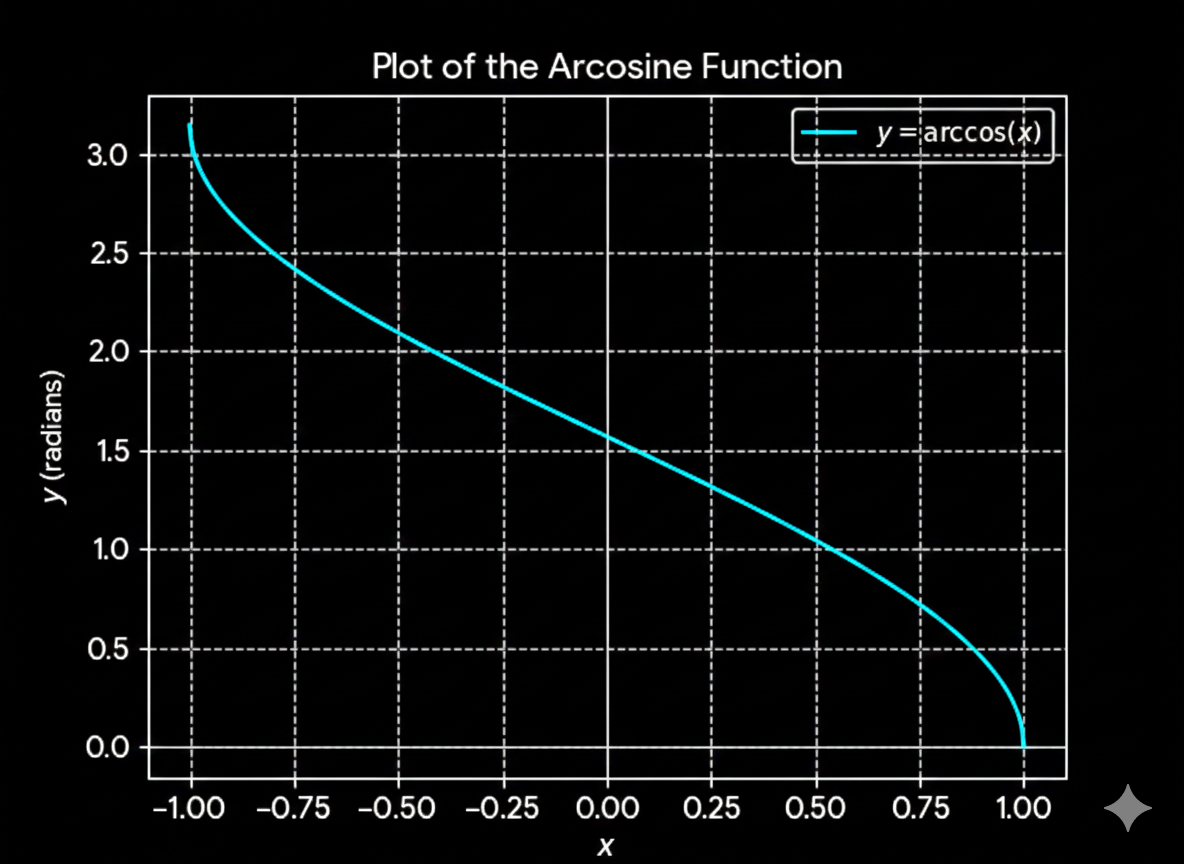
&\text{lets explain the } arcosine(-1.0) \ \text{function and how it works} \\
\end{aligned}$$
$$\LARGE y = \arccos(x)$$
$$\begin{aligned}
&\text{what we are trying to do here with the arcosine function is to get the PI number, is just that, how to get the PI number}\\
&\text{and as you know if you put the PI number in the cosine function\_\_ } cos(\pi)\ \text{ \_\_then we are going to get }\ -1\\
&\text{and as we all know the } arcos(y) \text{ function is the inverse of the } cos(x) \text{ where } y = cos(x) \ \text{and} \\
&\text{the output from the } arcos(y) = \pi \\
&\text{Basically the function allow us to get } \pi \\
\end{aligned}$$
$$ cos(\pi) = -1$$
$$ arcos(y) = \pi$$
$$ y = cos(\pi) = -1 $$
$$ arcos(cos(\pi)) = \pi$$
float2 coor = coordinateScale * PI * 2.0 * 5.0 ;
$$\begin{aligned}
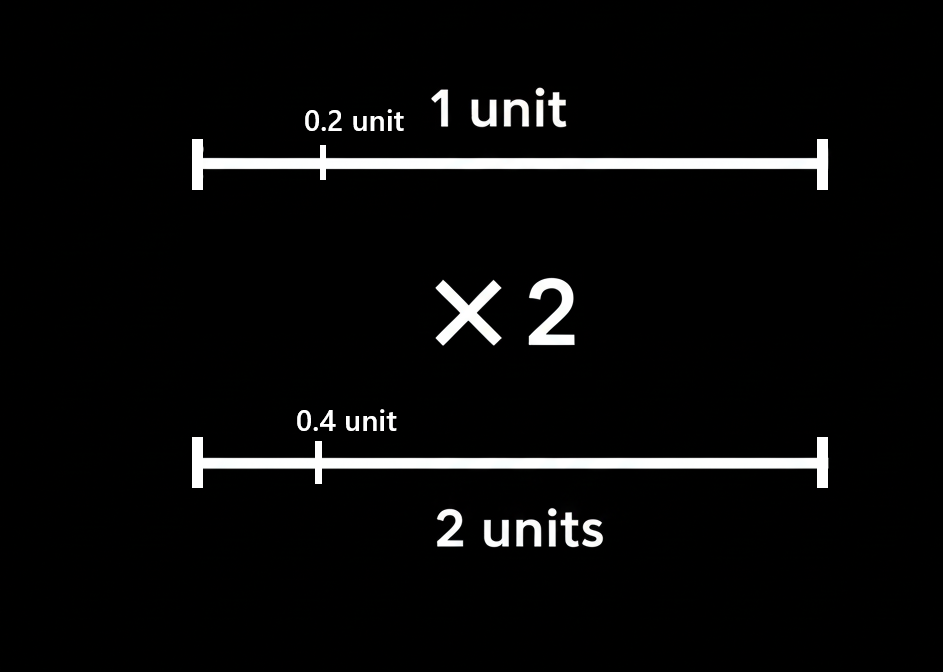
&\text{The things that we are really doing right now is something that is like multipliying but not multiplying}\\
&\text{am I being clear?, like is rather than a physical property more something of a value representation or reformation . }\\
&\text{of something, for example what happens when you multiply a something by 2, the general idea is that you are going to }\\
&\text{get two somethings, and if you multiply a something for 3 then you are going to get 3 somethings. and so on and on... }\\
\end{aligned}$$
$$\begin{aligned}
&\text{here what we are doing is multipliying everyting by something, what happens when you multiply everything by something?}\\
&\text{what happens when you get everything and then multiply the everyting by something?, those are the questions that really }\\
&\text{trigger the unknow, the moment when you start thinking about what it would be like scaling things or everything }\\
&\text{by a ratio of something. }\\
\end{aligned}$$
$$\begin{aligned}
&\text{The idea is going to be made the spaces to switch from one scale to the other at the same time we keep the }\\
&\text{distances as they were.}\\
\end{aligned}$$
float2 coor = coordinateScale * PI * 2 * 5.0;z
$$\begin{aligned}
&\text{now you could be wondering why we are using the number}\ \pi \text{ , the reason came from the next lines of code. }\\
\end{aligned}$$
float Coord0 = cos(coor.x);
float Coord1 = cos(coor.y);
$$\begin{aligned}
&\\[5ex]
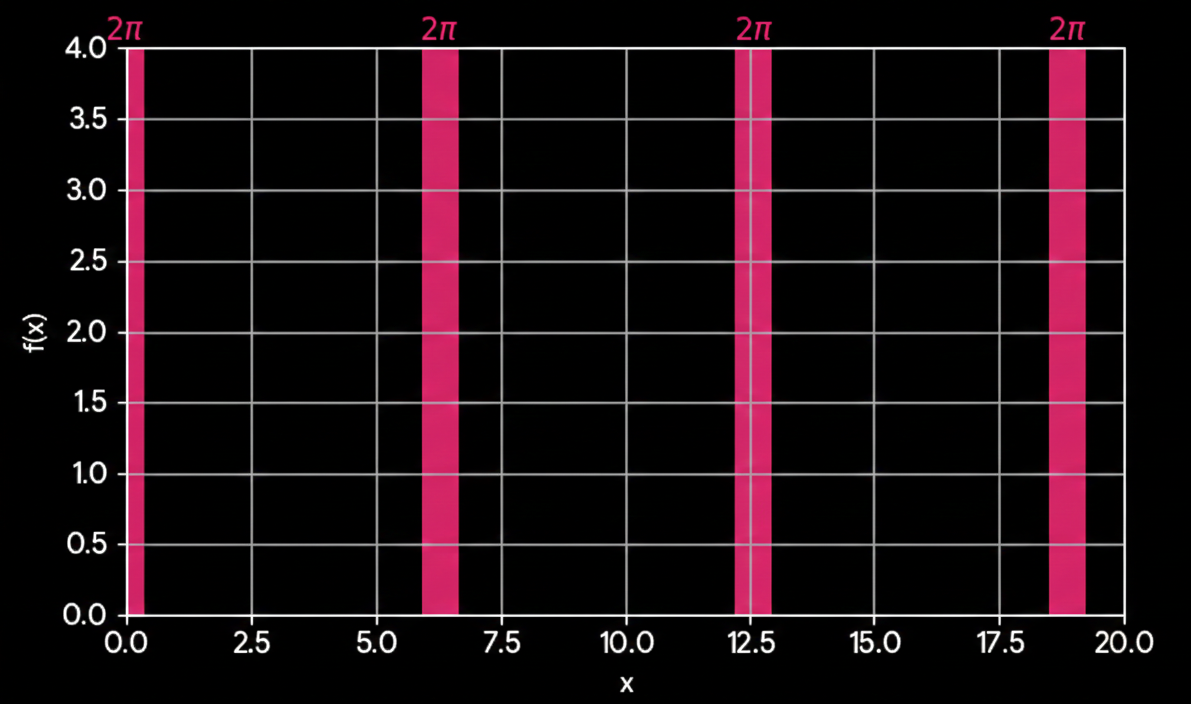
&\text{the thing here with the cosine function is that we are going to get 1 every}\ 2 * \pi \ \text{, which means that every each}\\
&\ 2 * \pi \ \text{we could make a line of our desired width just by extending how much distance from the 1 we want the borders to be}\\
&\text{ borders to be}\\
\end{aligned}$$
$$ cos(2pi * L) = 1 , \quad where \quad L \implies \mathbb{Z} \implies INTEGER\; NUMBER $$
$$\\[5ex]\\$$
$$\begin{aligned}
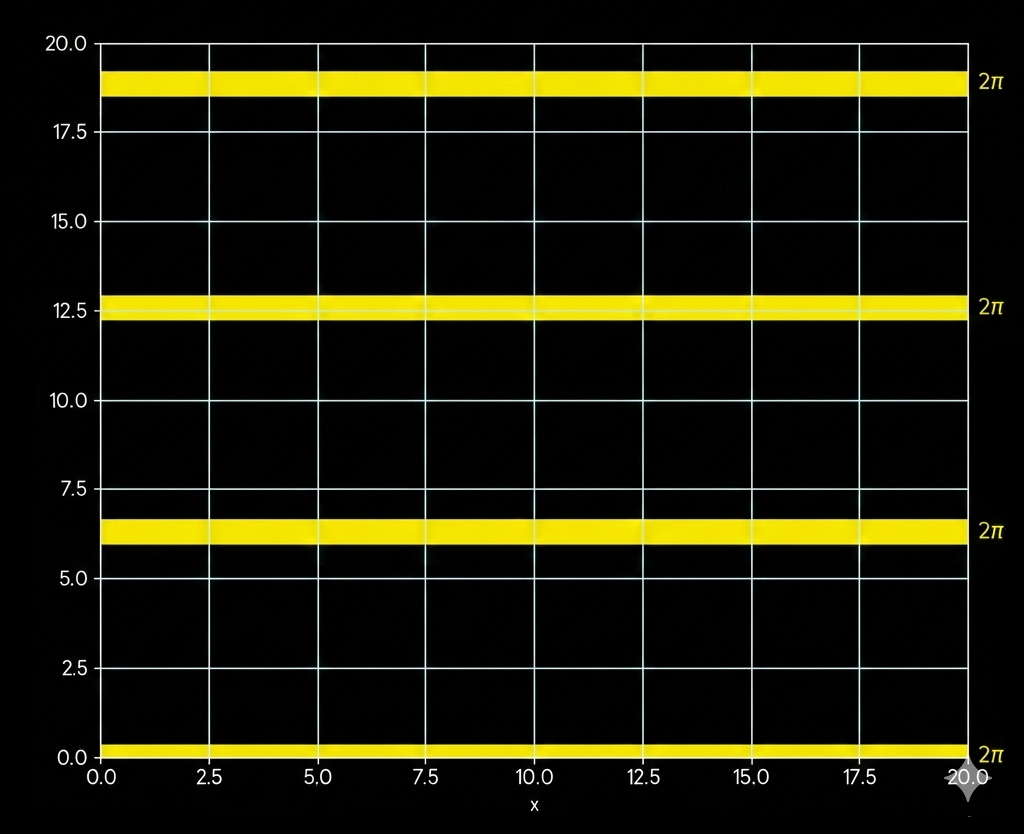
&\text{ The VERTICAL LINES are for the,} \quad cos(x)\\
&\text{ The HORIZONTAL LINES are for the,} \quad cos(y)\\
\end{aligned}$$
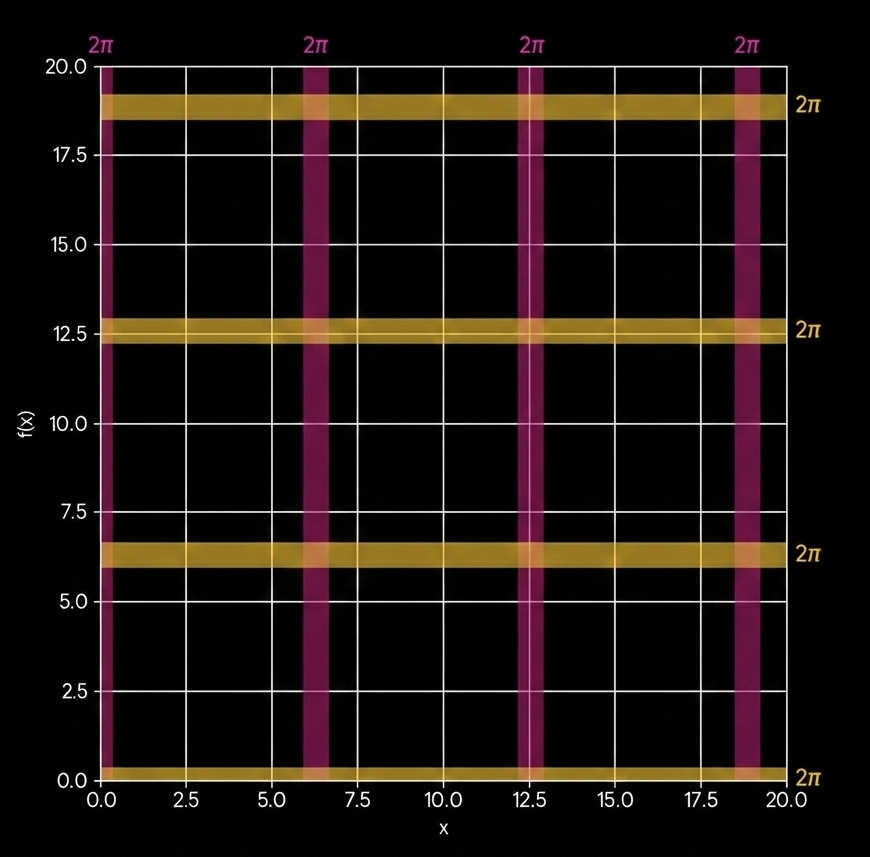
$$\begin{aligned}
&\text{now the way how we are able to understand that, is by evaluating each single of this pixels with the coordinates }\\
&\text{specified on the fragment shader, once we had evaluate the coordinates with the cos functions is when we }\\
&\text{are going to be able to make use of the smoothstep function to create the bounds of which colors should be }\\
&\text{colored, by setting up the bounds where we want this things to be colored and where we dont want to be colored }\\
\end{aligned}$$
float value = smoothstep(0.98, 1.0, max(Coord0,Coord1));
float value = smoothstep(0.98, 1.0, max(Coord0,Coord1));
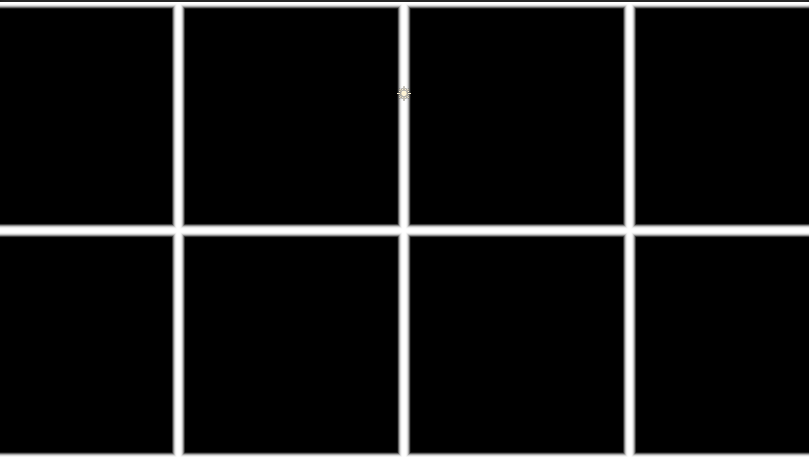
float value = smoothstep(0.70, 0.71, max(Coord0,Coord1));
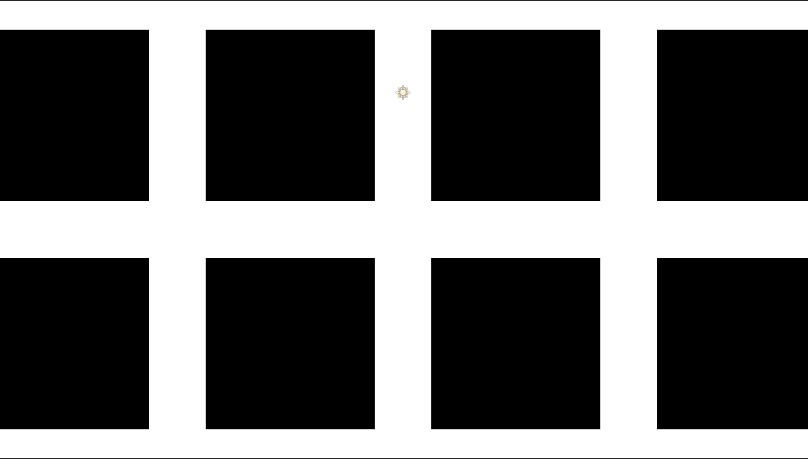
float value = smoothstep(0.00, 0.01, max(Coord0,Coord1));
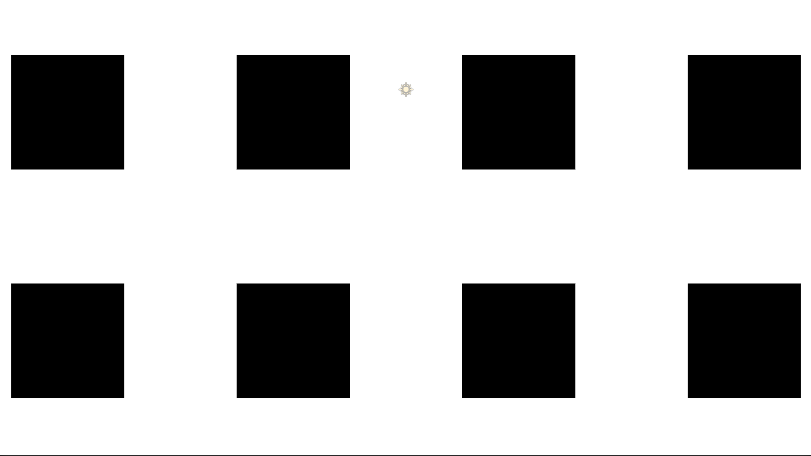
float value = smoothstep(-0.91, -0.90, max(Coord0,Coord1));
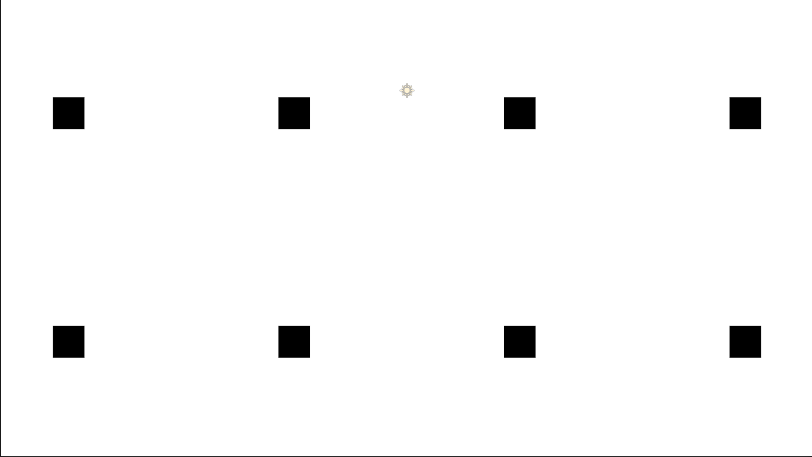
Shader_Grid_SDF.shader
SQUARE SDF
fixed4 frag (PixelData i) : SV_Target
{

float2 uv = i.uv;
float2 coordinateScale = uv * 2.0 - 1.0;

float4 colorWhite = float4(1,1,1,1); // Color white.
float4 colorBlack = float4(0,0,0,1); // Color Black.
float Smoothing = 0.01;

float2 squareDim = float2(0.5, 0.5);
float2 vectorSpace = squareDim - abs(coordinateScale) ;

float sdf = min(vectorSpace.x, vectorSpace.y) ;

float shape = smoothstep(0.0, Smoothing, sdf);

float4 col = float4(shape, shape, shape, 1.0);

return col;

}
$$\begin{aligned}
&\text{All the ideas till this point are clear, the equalities that we had define till this point were all detail and specified throughfully.}\\
\end{aligned}$$
float2 uv = i.uv;
float2 coordinateScale = uv * 2.0 - 1.0;

float4 colorWhite = float4(1,1,1,1); // Color white.
float4 colorBlack = float4(0,0,0,1); // Color Black.
float Smoothing = 0.01;
$$\begin{aligned}
&\text{so we got to define how the next functions work together to make a square appear on our screen.}\\
&\text{following the same steps we had done till this moment lets explain what is happening.}\\
\end{aligned}$$
float2 squareDim = float2(0.5, 0.5);
float2 vectorSpace = squareDim - abs(coordinateScale) ;

float sdf = min(vectorSpace.x, vectorSpace.y) ;

float shape = smoothstep(0.0, Smoothing, sdf);

float4 col = float4(shape, shape, shape, 1.0);
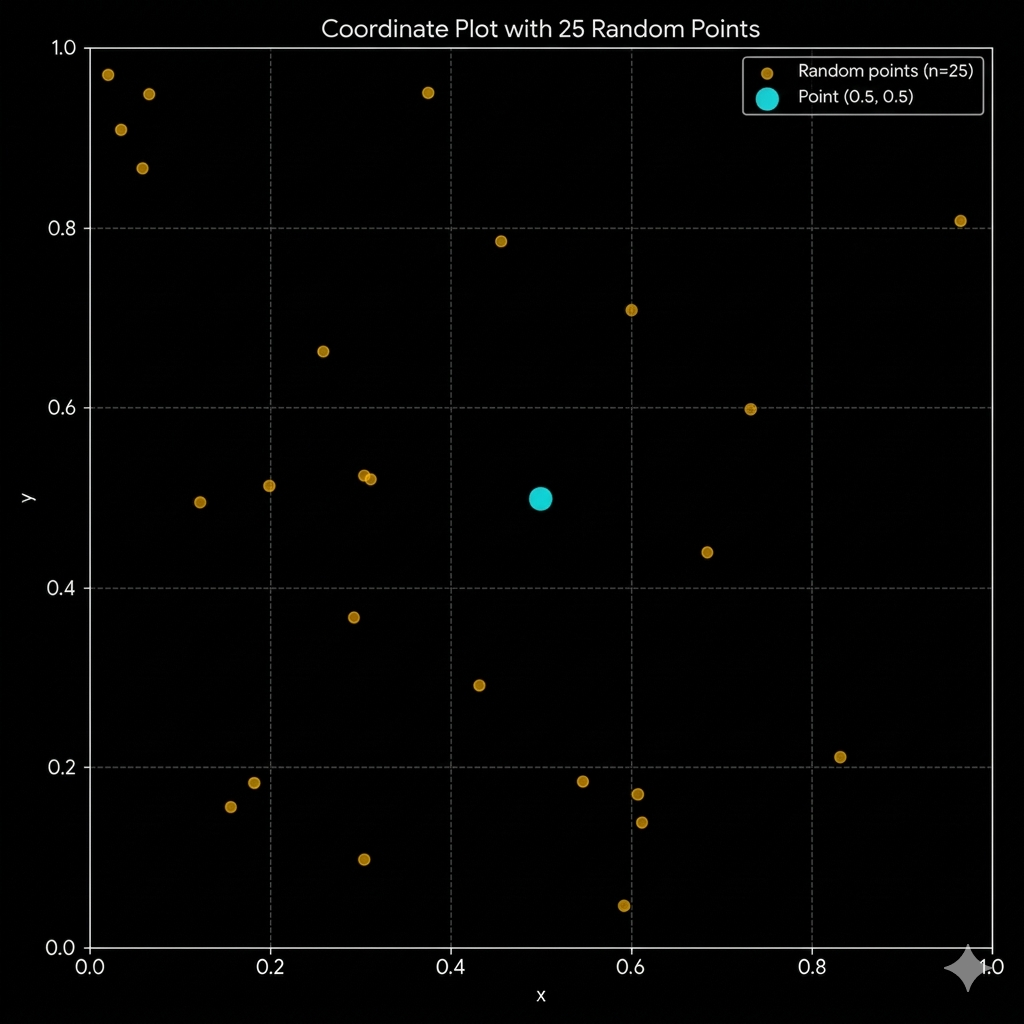
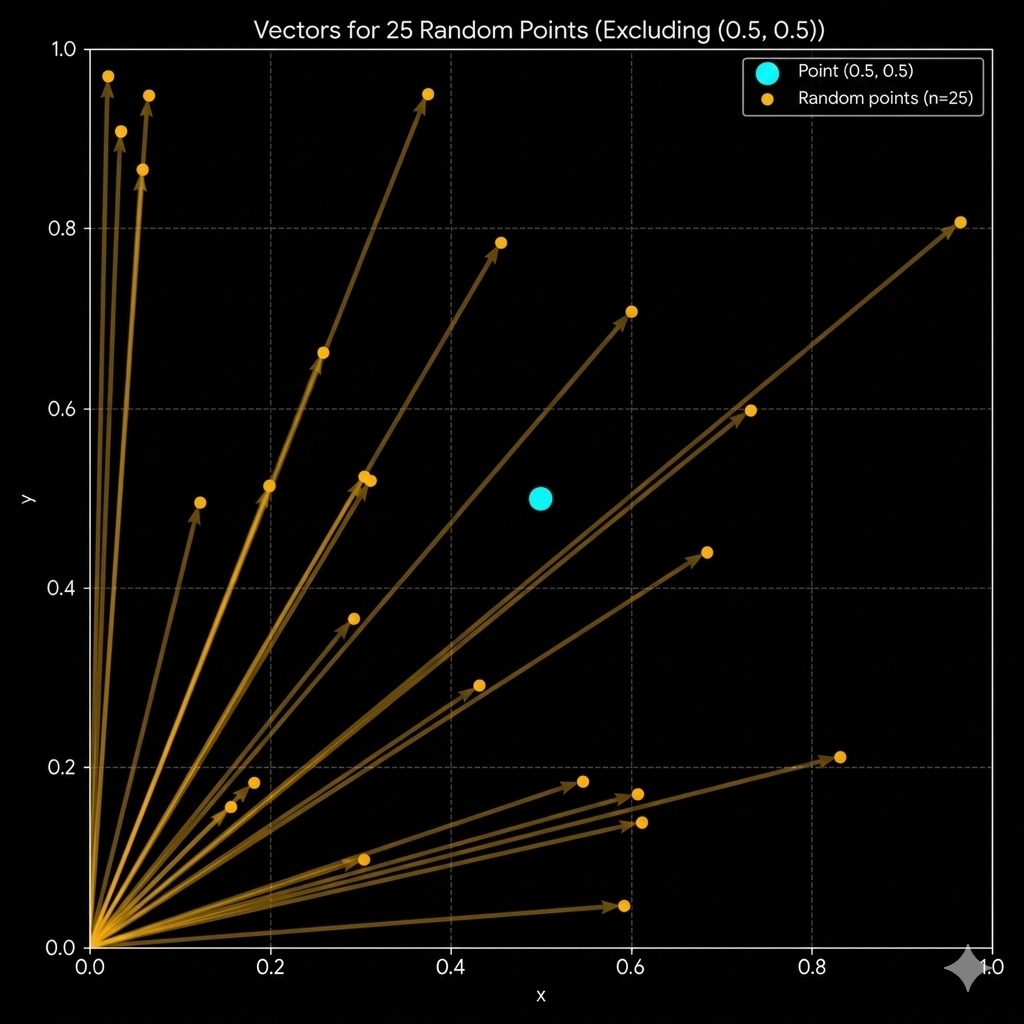
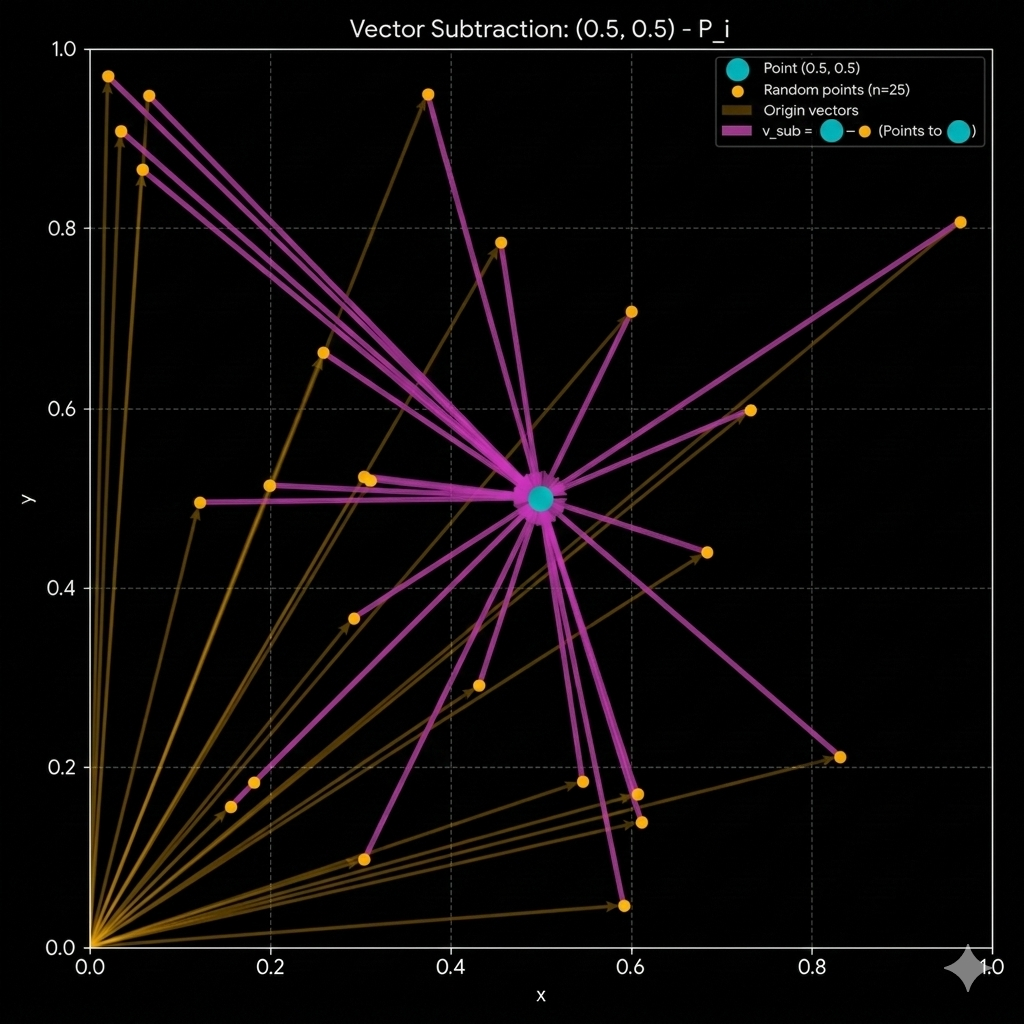
$$\begin{aligned}
&\text{The idea of the absolute value as we had define previously is that the points that are on the negative side }\\
&\text{of the cartesian plane in the screen space are going to be operated in the positive side of the cartesian plane }\\
&\text{in the computer space.}\\
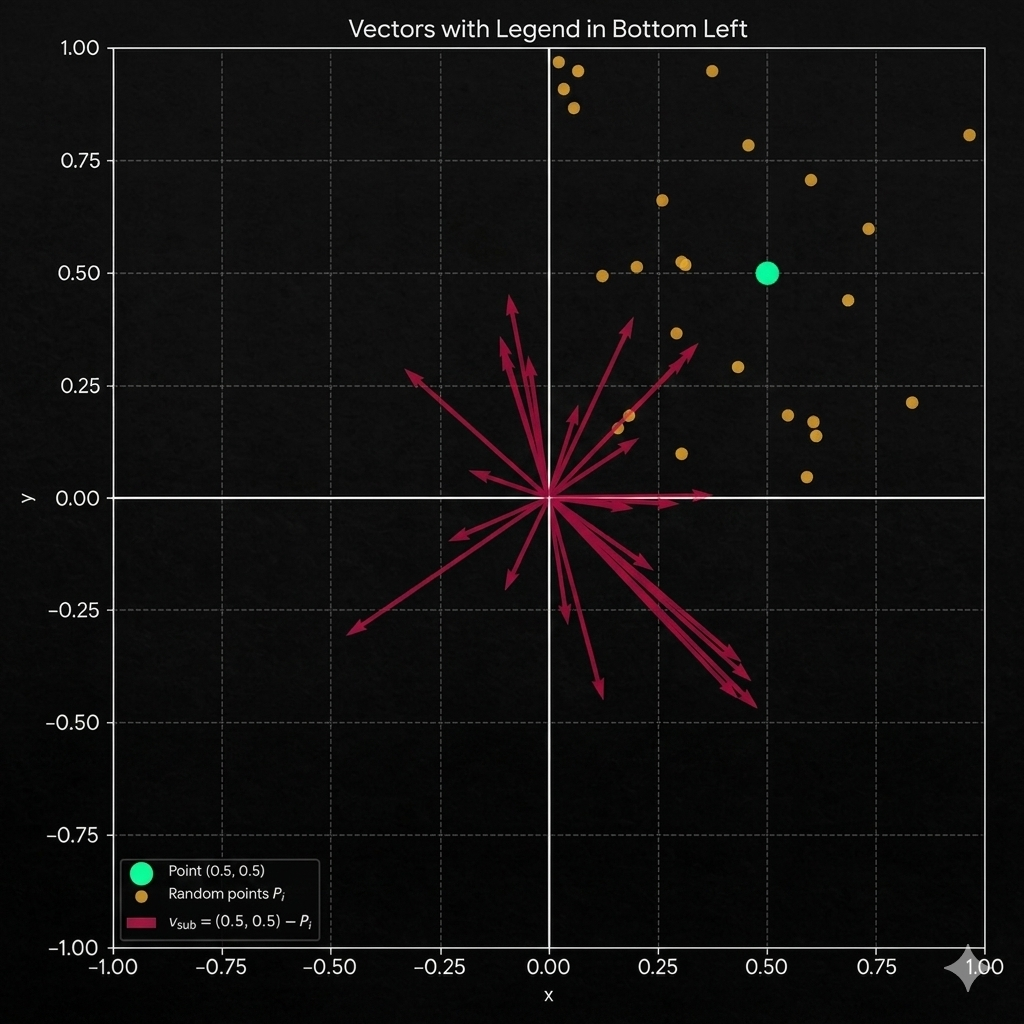
&\text{and with the substracions we are going to get the vectors that we could use to determine if the point falls }\\
&\text{within the square or outside of the square. like this.}\\
&\text{}\\
\end{aligned}$$
float2 vectorSpace = squareDim - abs(coordinateScale) ;
$$\begin{aligned}
&\text{Now that we are in this stage the procedure that we need to follow is to identify if the points fall or not within }\\
&\text{the insides of the square, or rectangle, the thing with this algorithm is that it works for both cases}\\
&\text{to make an square and to make a rectangle this procedure is going to work.}\\
&\text{}\\
\end{aligned}$$
$$\\[5ex]\\$$
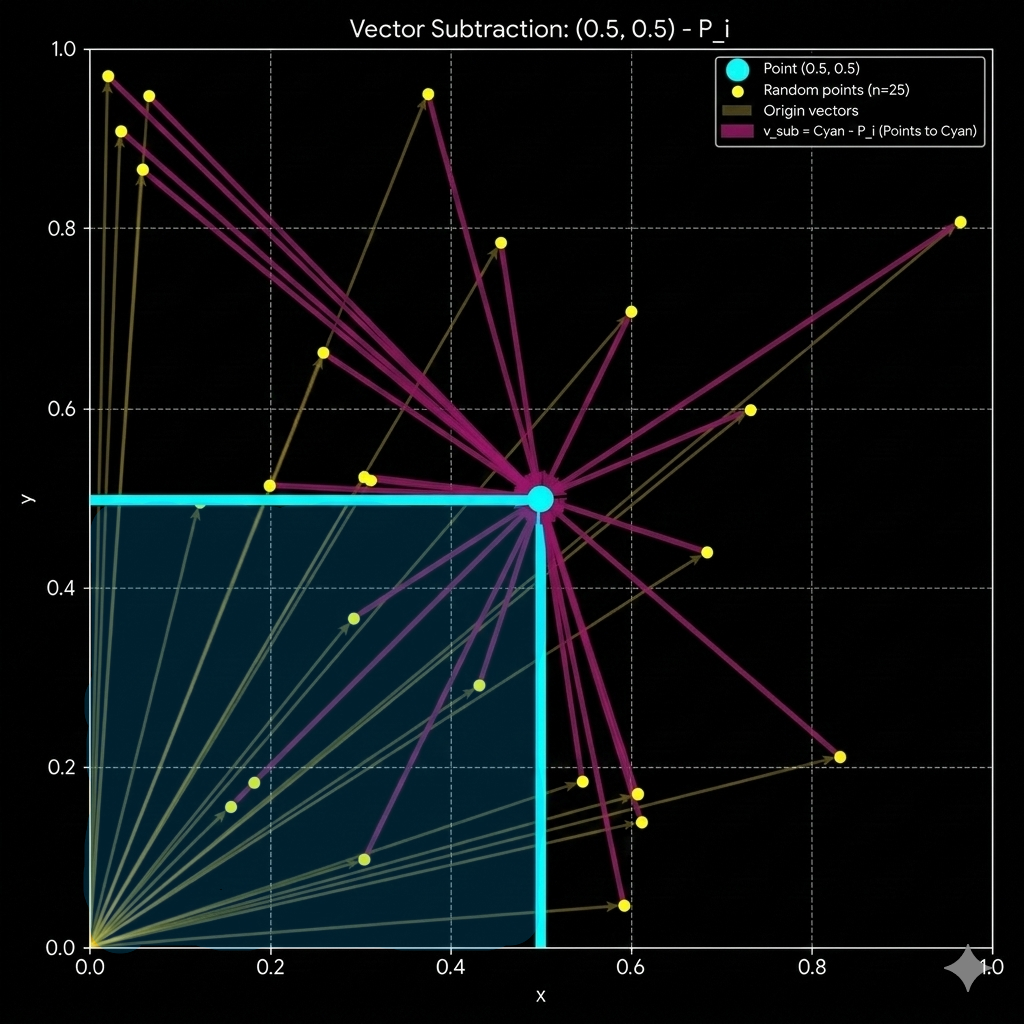
$$\begin{aligned}
&\text{But how we are able to get the information we need from all this points, what are the things that we need to set in}\\
&\text{order for us to get the information that we need, from this data that was organize, well simple we just got to visualize }\\
&\text{which is the data that we are getting from this representation.}\\
\end{aligned}$$
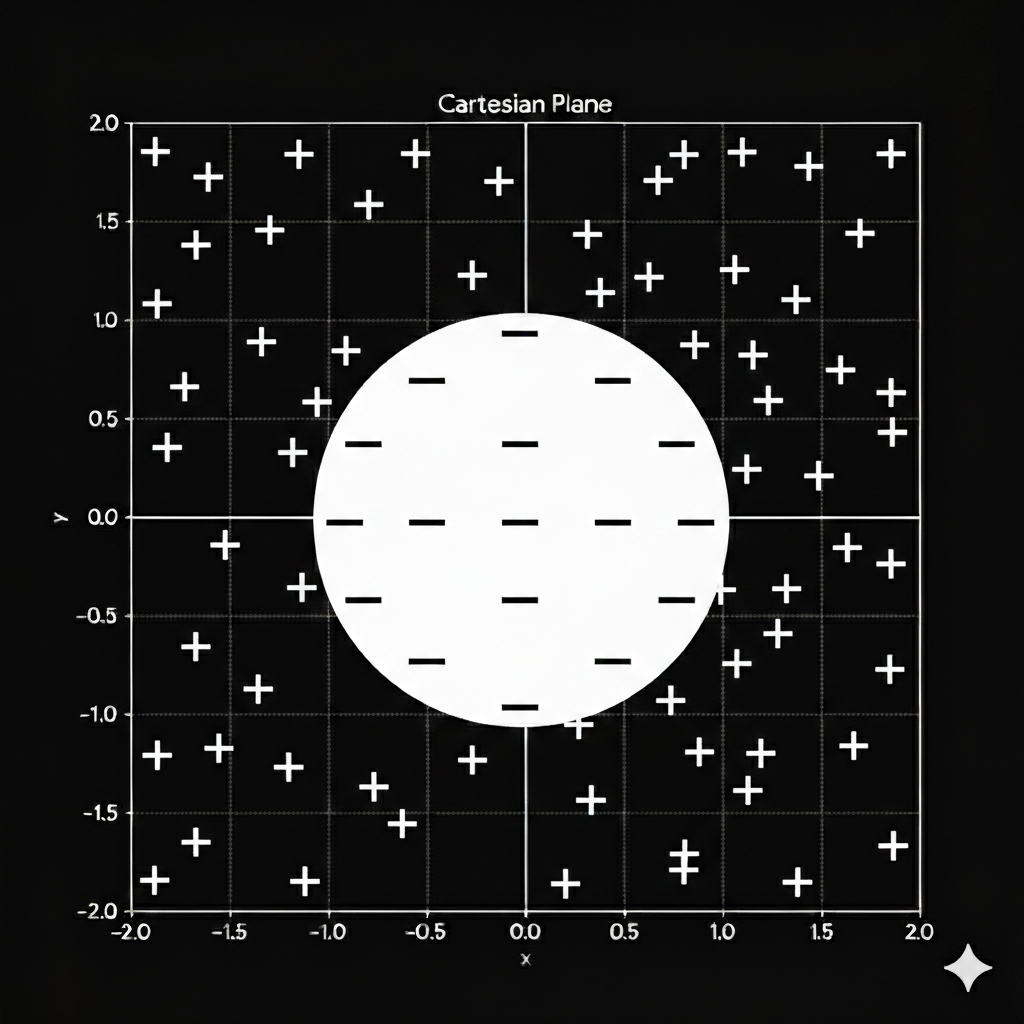
$$\begin{aligned}
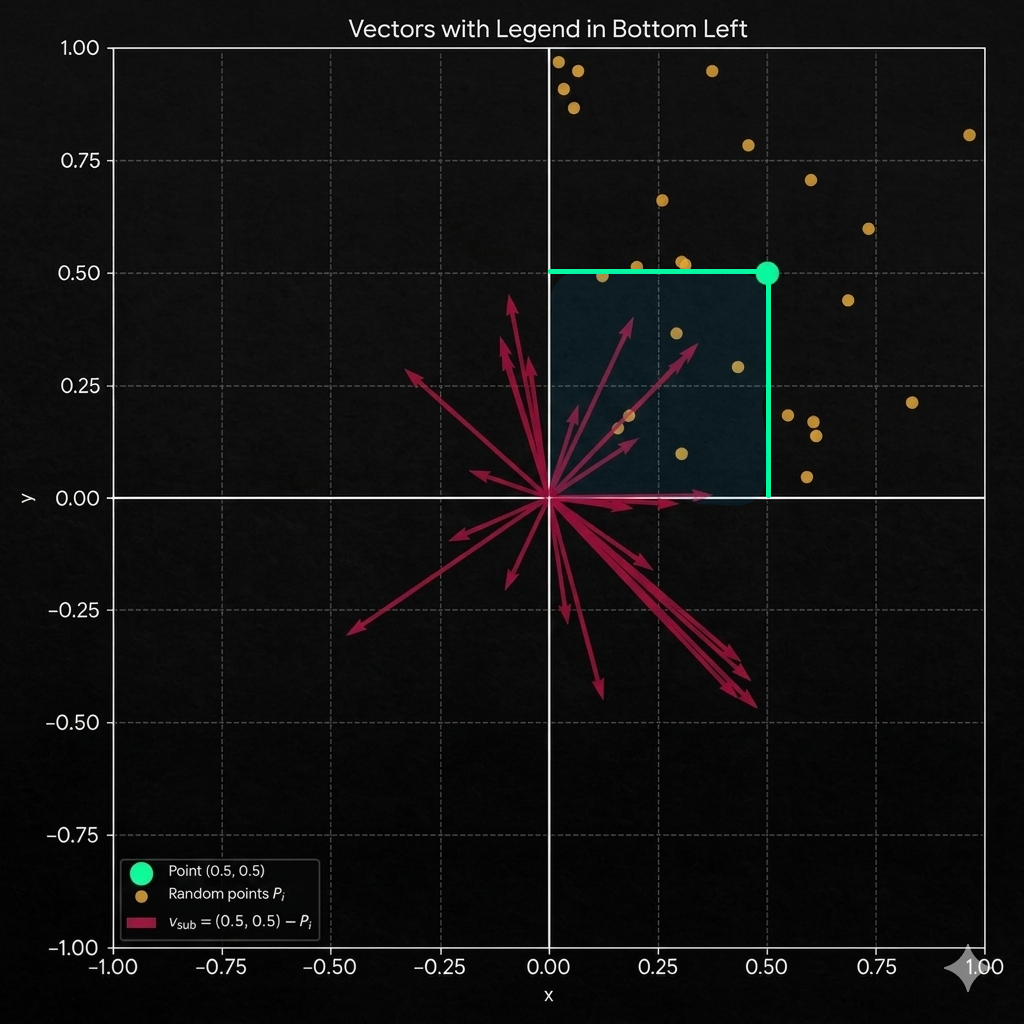
&\text{Once we had define this bounds, we can see a property that repeats and repeats continously through all this context}\\
&\text{we can notice the properties and how they lay over the plane, for example we can see that the points that are going to be}\\
&\text{inside the circle are also the points that lay within the 1 cuadrant of the cartesian plane when we make the next operation}\\
\end{aligned}$$
$$V_{sub} = \begin{pmatrix} 0.5 \\ 0.5 \end{pmatrix} - P_i$$
$$\begin{aligned}
&\text{Are going to be the poins that lay in the positive cuadrant of the cartesian plane, the points that are going to be part }\\
&\text{of the square, and this is a property that we can exploit to represent the data how we want the data to be represented.}\\
&\text{in this case a SQUARE}\\
\end{aligned}$$
$$\begin{aligned}
&\text{now the next property that we want to define is going to be the property that makes true if pixel we are evaluating in}\\
&\text{the square should be painted or no, how we determined if the coordinates (x, y) fall in the square once we got the }\\
&\text{vectors that lay in the area of the square, we could make a simple comparation on both of the sides like this.}
\end{aligned}$$
float sdf = min(vectorSpace.x, vectorSpace.y) ;
float shape = smoothstep(0.0, Smoothing, sdf);
$$\begin{aligned}
&\text{so here we are going to notice also that the points are going to get closer to the negative side at the axixes x and y}\\
&\text{which means that it is more posible to find or get points closer to 0, if we get closer to the axis, which is very obvious right?}\\
&\text{}\\
\end{aligned}$$
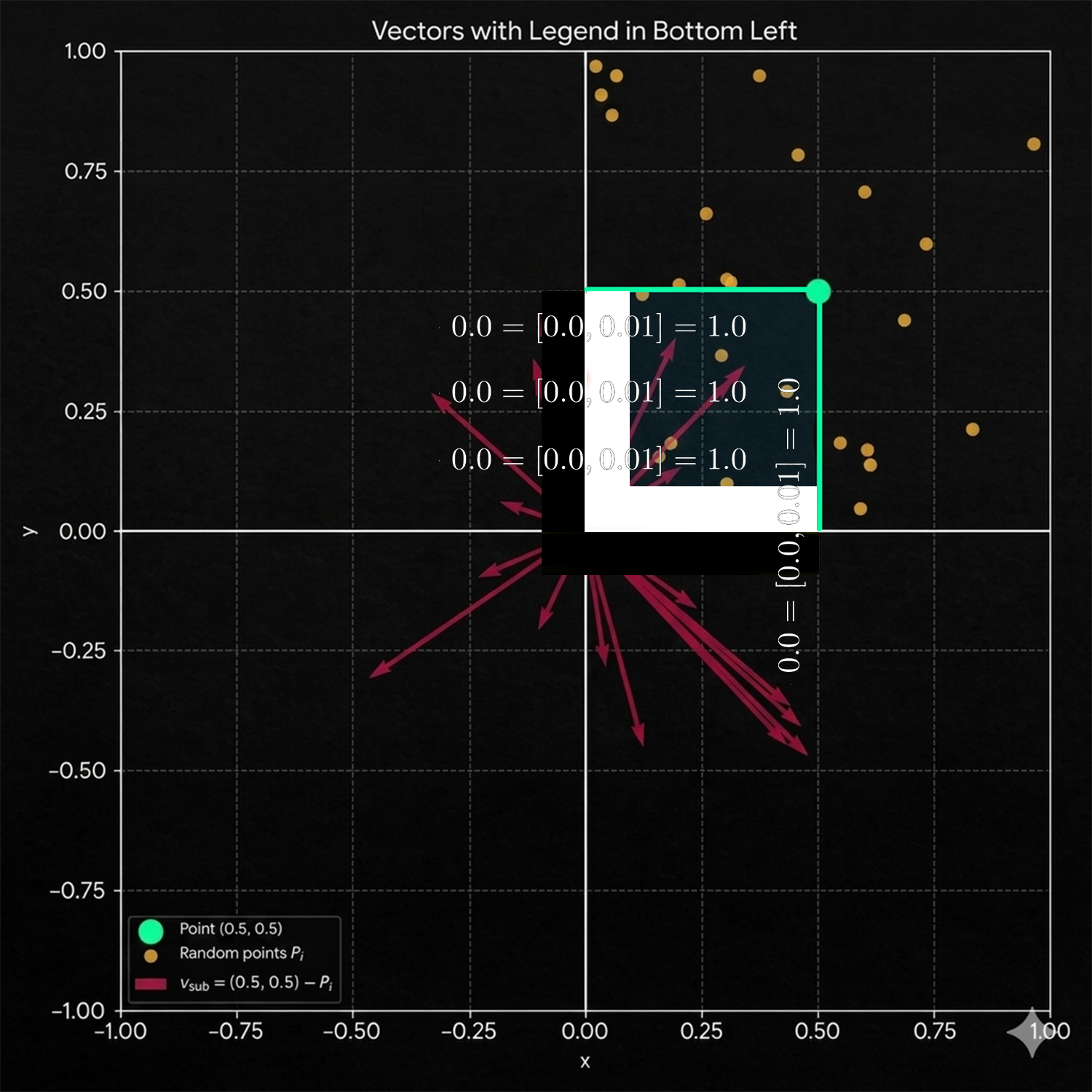
$$\begin{aligned}
&\text{here the smoothfucntion would make the previous operation as the way to paint. as the way to paint more and more information}\\
&\text{when the min is the x that means that we are closer to the y axis, but when the min is the y means that we are closer to the }\\
&\text{x axis. }\\
\end{aligned}$$
Shader_Square0_SDF.shader
Shader_Square1_SDF.shader
SQUARE COMPARE
$$\LARGE\text{SQUARE COMPARE}$$
$$\begin{aligned}
&\text{There is a way to get the square following a different process, or a different set of rules that could allow us to get}\\
&\text{a similar output, not entirely the same but a very similar one.}\\
\end{aligned}$$
float2 uv = i.uv;
float2 coordinateScale = uv * 2.0 - 1.0;

float4 colorWhite = float4(1,1,1,1); // Color white.
float4 colorBlack = float4(0,0,0,1); // Color Black.

float2 size = float2(0.5, 0.5);
float2 bounds = (abs(coordinateScale));

float4 col = colorBlack;

if (bounds.x <= size.x && bounds.y <= size.y && bounds.x >= 0.0 && bounds.y >= 0.0)
{

    col = fixed4(1.0, 1.0, 1.0, 1.0);

}

return col;
float2 size = float2(0.5, 0.5);
float2 bounds = (abs(coordinateScale));

float4 col = colorBlack;

if (bounds.x <= size.x && bounds.y <= size.y && bounds.x >= 0.0 && bounds.y >= 0.0)
{

col = fixed4(1.0, 1.0, 1.0, 1.0);

}

return col;
if (bounds.x <= size.x && bounds.y <= size.y && bounds.x >= 0.0 && bounds.y >= 0.0)
{

col = fixed4(1.0, 1.0, 1.0, 1.0);

}
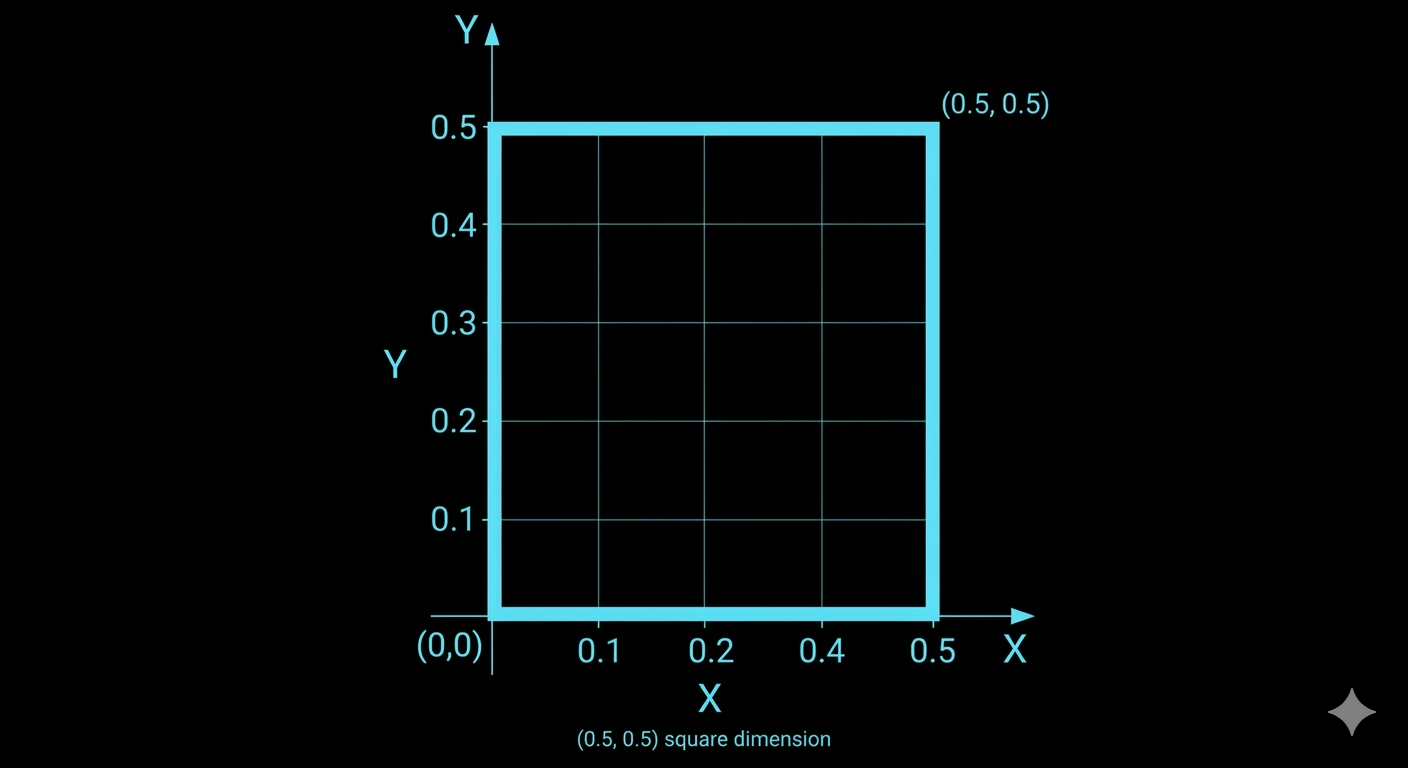
$$\begin{aligned}
&\text{So the only information that we need to clarify here, is going to be which points fulfill all the }\\
&\text{conditions and once the information is confirm we can make the modification of the values that we are }\\
&\text{going to use to paint the color.}\\
\end{aligned}$$
Shader_SquareCompare_SDF.shader